
Searching Douglas County Civil Dockets
Class letters come first. District Court marks district civil matters with CV. It also runs the DR domestic-relations and PR probate dockets. County Court uses C for civil claims and S for small claims. Evictions run at County Court too. The Clerk of Court, Douglas County Combined Court, holds all of these state files. That one office keeps them in one place.
CoCourts sells real-time access to many Douglas County Registers of Action. Civil, water, small-claims, and domestic ROAs are included. Search by name or full case number, then filter to Douglas County. The free Judicial Branch Docket Search lists public hearing settings. Remember, though, that a calendar hit is not the full civil ROA.
- Identify the court and class from the summons, notice, or case number.
- Use CoCourts for an available case history or the free docket tool for a hearing.
- Match party roles, filing date, court, and case number before opening a result.
- Read service, answer, motions, orders, settings, and judgment in date order.
- Request the signed order or judgment from the Douglas Combined Court clerk when its text matters.
Douglas County Civil Docket Codes
Think of civil class letters as routing codes. They tell you the type of case and its court level, nothing more. They never show who won. Douglas County District Court and Douglas County Court run through one Combined Court clerk office, so small claims and evictions share that office even though their docket paths differ.
- CV
- District civil jurisdiction.
- C
- County civil jurisdiction.
- S
- Small claims in County Court.
- DR
- District domestic-relations docket with major public-access limits.
- PR
- District probate docket, where access depends on the record involved.
A case that is transferred or appealed often gets a second number. Write down both. The transfer and appeal entries tie the two histories together, so a docket search does not stall at just one court level.
Inside a Douglas County Civil Docket
A Register of Action opens with the case number, class, filing date, status, court or division, and caption. Dated entries follow. You might see a complaint or petition, a summons, service or return, and an answer. Motions, responses, and replies may appear too. Later entries can show minute orders, signed orders, settings, trial, judgment, dismissal, satisfaction, enforcement steps, and appeals. Keep one thing in mind. The event label is only an index, not the filed paper itself.
| Case identity | Year, civil class, sequence, filing date, court, and status. |
|---|---|
| Parties | Plaintiff and defendant, or petitioner and respondent, plus counsel when shown. |
| Service and answer | Summons, return, response, and possible default milestones. |
| Motions and orders | Requests, briefs, minute entries, and later signed rulings. |
| Outcome | Dismissal, judgment, satisfaction, enforcement, and appeal events. |
Cost or judgment figures can show up when the case is public. Check any value against the signed order and the clerk record before you rely on it.
Douglas County Civil Docket Motions
A "Motion filed" entry tells you one side asked the Douglas County court to act. That is all. It does not mean the request was granted. Since civil docket entries run in date order, the ruling may sit several filings away from the request. Read forward for a response, a reply, a hearing, a minute order, or a signed order.
Still unclear? File the statewide Record/Document Request Form. Pick Douglas and name the exact order. Civil choices on the form include an Order for Judgment, Transcript of Judgment, Satisfaction, and Protection Order. The clerk's document controls, not the vendor's short ROA description. Note: pair each motion with the ruling that follows it, and never treat a filing label as the judge's decision.
Civil Case Types on the Docket
The Douglas County civil docket covers several paths. District civil cases belong to District Court. County Court takes county civil, small claims, and eviction matters. Domestic relations and probate sit at District Court level. Access limits there can differ from an ordinary public civil case.
Class letters also add context to the timeline. A CV register may run from complaint and service through case management. It then moves through motions, trial, and judgment. A C or S register often moves through a return date. Its hearing path is shorter. Whatever the class, a filed claim only states what one party asserts. It is not a finding that the claim is true. Read the answer, the later orders, any dismissal, judgment, satisfaction, or appeal. Only then should you conclude anything about the Douglas County case.
| Case path | Class | Typical docket events |
|---|---|---|
| District civil | CV | Complaint, service, motions, case management, trial, judgment |
| County civil | C | Claim, service, answer, return date, hearing, judgment |
| Small claims | S | Claim, service, hearing, judgment, satisfaction |
| Eviction | County Court | Filing, return date, orders, judgment, enforcement entries |
| Domestic or probate | DR or PR | Specialized filings and settings, subject to access rules |
Douglas County Civil Eviction Dockets
Eviction goes by another name too: forcible entry and detainer. It follows the Douglas County Court path. Douglas County posts civil return-date information, and statewide filing context comes through the Judicial Branch eviction dashboard. Be careful here. A return date is just a procedural date. It is not a full trial date, and not the final result of the claim. The Colorado Judicial Branch eviction filing dashboard shows how the state reports this civil case type.
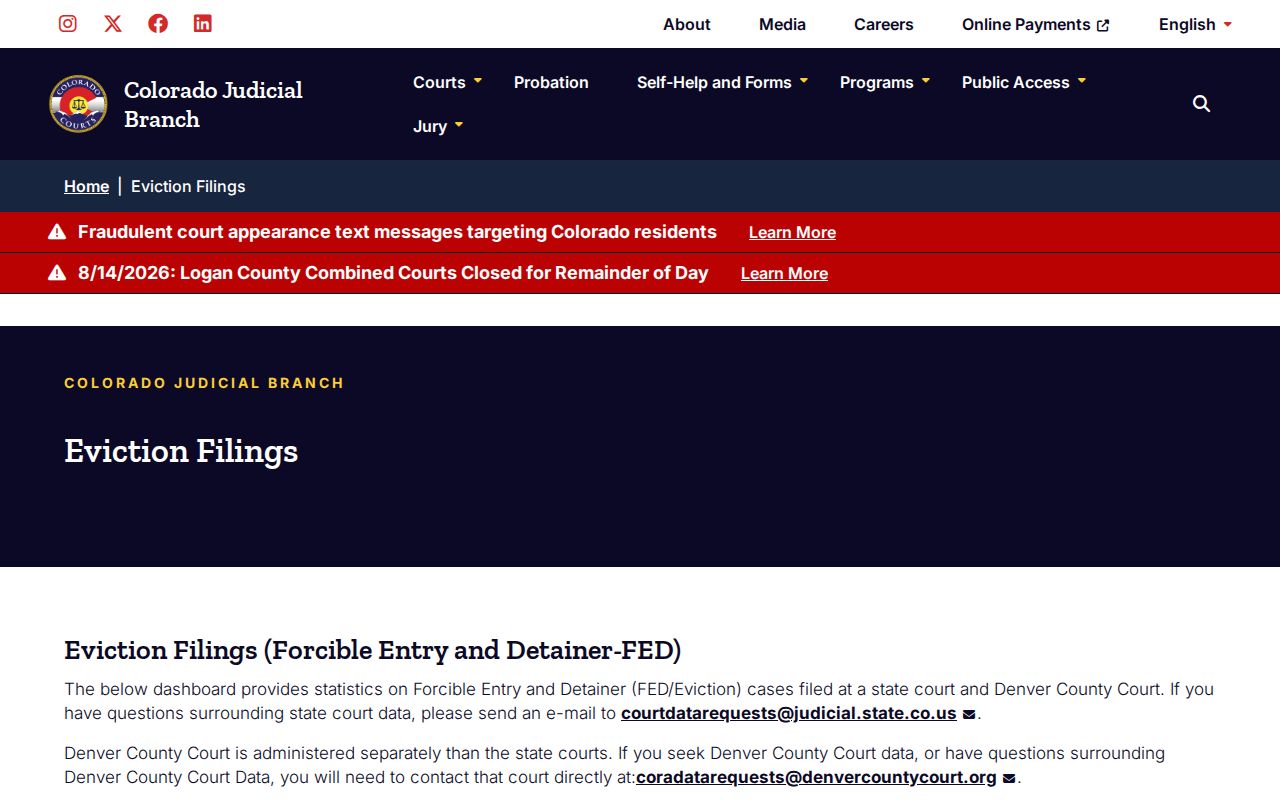
The dashboard gives you filing context only. For the steps and the result in one case, use the individual Douglas County civil docket and the official orders.
Civil Docket Settings and Hearings
A Douglas County civil setting can take many forms. It may be a return date, a case-management conference, a status conference, or a motions hearing. It can also be a trial-readiness event, a bench trial, a jury trial, a review, or another ordered appearance. Read the setting type together with the date, time, division, judicial officer, and appearance mode. Douglas County calendar results can flag in-person, virtual, telephone, or no-appearance settings.
Line up three things: the newest ROA event, the free court calendar, and the latest signed notice. A continuance or reset moves a date. A vacated hearing drops off the calendar. That alone does not dismiss the civil case. The Douglas Court Dates reference walks through the full calendar-channel sequence.
Douglas County Civil Docket Defaults
Read the early docket entries and the posture of the case starts to make sense. A complaint or petition opens the matter. Then comes a summons. Entries for service or return show whether delivery steps actually happened. An answer or other response may come next. When a required response or appearance never happens, a request for default can follow. The court's later findings may end in default judgment.
A late-looking gap in the ROA does not prove a Douglas County default. Find the actual request and a later judgment before drawing that conclusion. After judgment, the docket may list a transcript of judgment, enforcement steps, or satisfaction. A transcript is a certified statutory record, used to record or enforce a judgment elsewhere. Satisfaction means the judgment obligation has been met. Each term marks a different step.
Civil Docket Access Rules
Two rules govern public access here. The main ones are Chief Justice Directive 05-01 and Colorado Supreme Court P.A.I.R.R. Rule 1, which shape every Douglas County civil docket request. Requesters have several options. Choices include available vendor access, inspecting allowed records at the clerk, the statewide form, an email to DouglasRecords@judicial.state.co.us, or a visit to the Combined Court counter. Off-site retrieval can carry real cost. Those stay with the municipal clerk for any municipal civil or code matters.
Each channel answers a different question. CoCourts can supply an available Douglas County ROA by party name or case number. The free Judicial Branch docket tool tracks scheduled hearings. Neither one turns a brief event label into the filed pleading itself. To get a complaint, signed order, judgment, transcript of judgment, or satisfaction, name the document on the statewide request form. Send it to the Combined Court clerk. Aggregate court data takes the separate CJD 05-01 data-request route instead of the case-file form. That distinction keeps a Douglas County record request from landing with the wrong office.
Access limits: Sealed cases and individually sealed documents are not public. Most domestic-relations case records are not open beyond identified redacted decrees or separation agreements unless an order allows more. Protected personal, financial, medical, and child-related information may be withheld or redacted.
A Douglas County public calendar will not open a restricted file. It may show a setting exists, yet the related documents stay unavailable. The official access guide separates court-file requests from administrative-record and aggregate-data requests.
Douglas County Civil Docket Sealing
Access turns on the case and the document. Domestic relations, juvenile, mental-health, dependency, adoption, paternity, and other protected categories carry their own restrictions. Even in an open case, some content stays protected. The clerk can withhold or redact deposited wills, financial account numbers, medical material, custody investigations, and similar protected content.
The legacy Colorado sealing forms source lays out the formal process that surrounds restricted records.
A missing document can reflect a legal restriction rather than an oversight, while an open docket entry still shows the event occurred. That is the Douglas County distinction. Ask the Combined Court clerk what access the governing rule permits.